Build your own AI dream team in Pencil: Agent Builder is here
Meet Agent Builder: design assistants for your workflow, connect your stack, and keep outputs on-brand with governance baked in.
.png)

AI should not feel like “one tool, one task”. With Agent Builder, you design the exact assistant your workflow needs, then give it real tools so it can think and act in a single flow.
What is live today
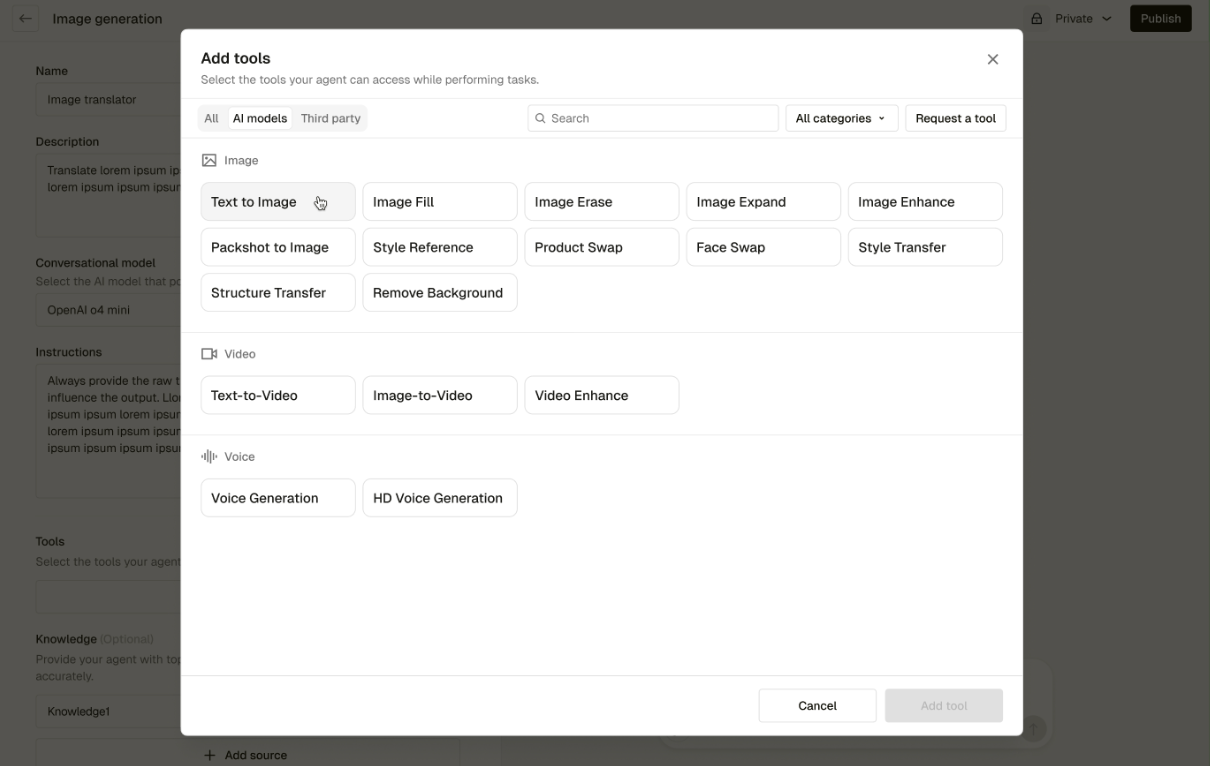
- Compose multi-skill Agents in one chat. Give a single Agent the skills to research, write, and create assets end to end so work stays in flow. Up to five capabilities per Agent.
- Plug in tools. Mix Pencil’s native capabilities like Text to Image, Image to Video, Web Search, Visit URL, and Video Cutdown with third-party apps such as Salesforce, Semrush, Slack, HubSpot, and Google Drive.
- Shape how it thinks and speaks. Set the Agent’s name, description, instructions, tone, and knowledge sources, including your brand library.
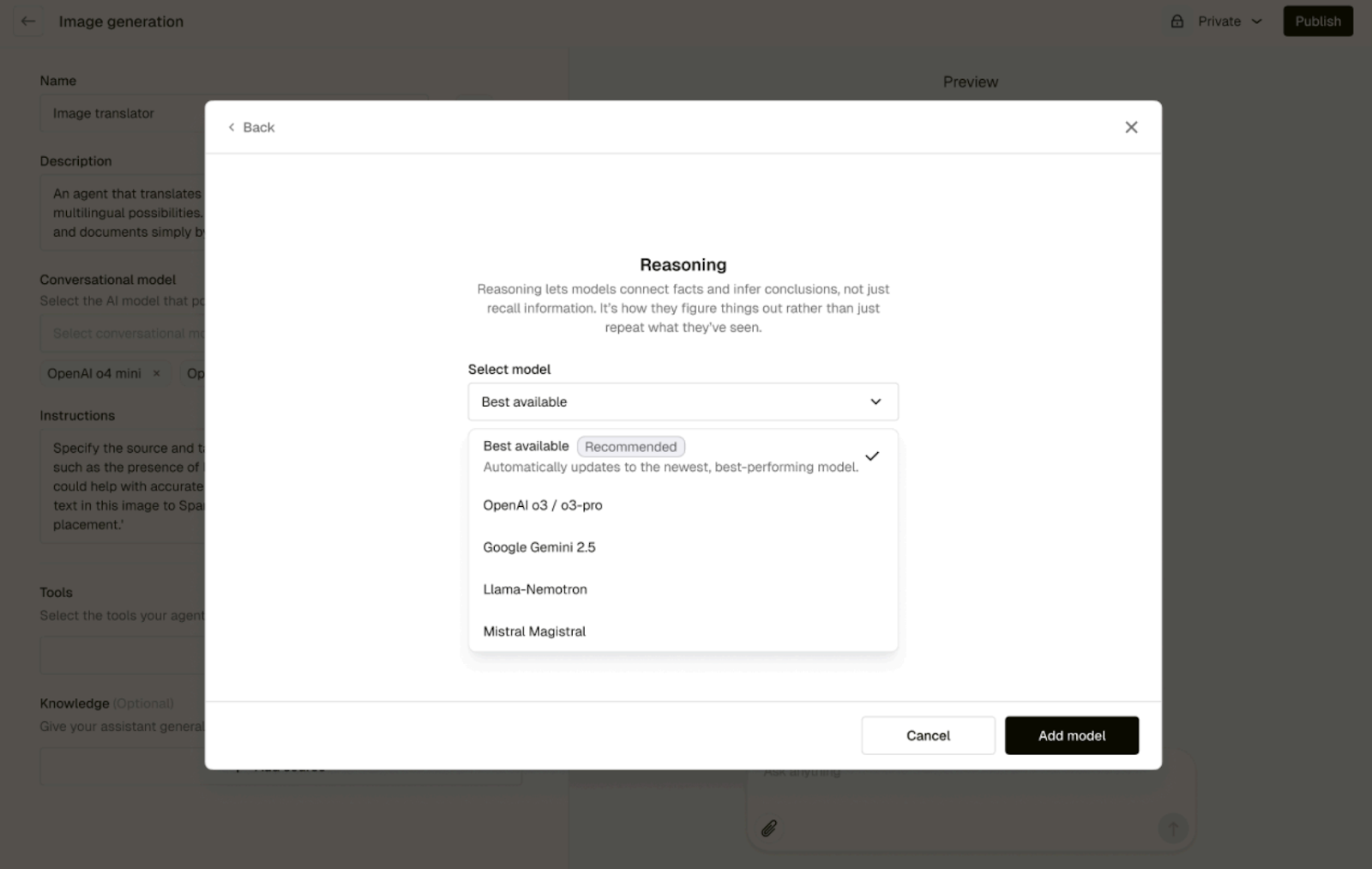
- Route to the “best available” brain. Choose a model category that fits the job, for example Reasoning, Deep Thinking, Fast Response, or Multi-modal. The Best Available option keeps your Agent current, even as stronger models drop. The same Best Available setting also exists for image and video tools.
Why it matters
Enterprise teams win when they remove handoffs and reduce tool-hopping. Agent Builder turns Pencil from a creative tool into a creative operating system, one place to brief, generate, and take action with clear guardrails. It also meets the moment. The work now rewards velocity and variety, which means the bottleneck is no longer “can we optimise?” it is “can we create and ship, quickly, with control?”
Third-party capabilities, baked in
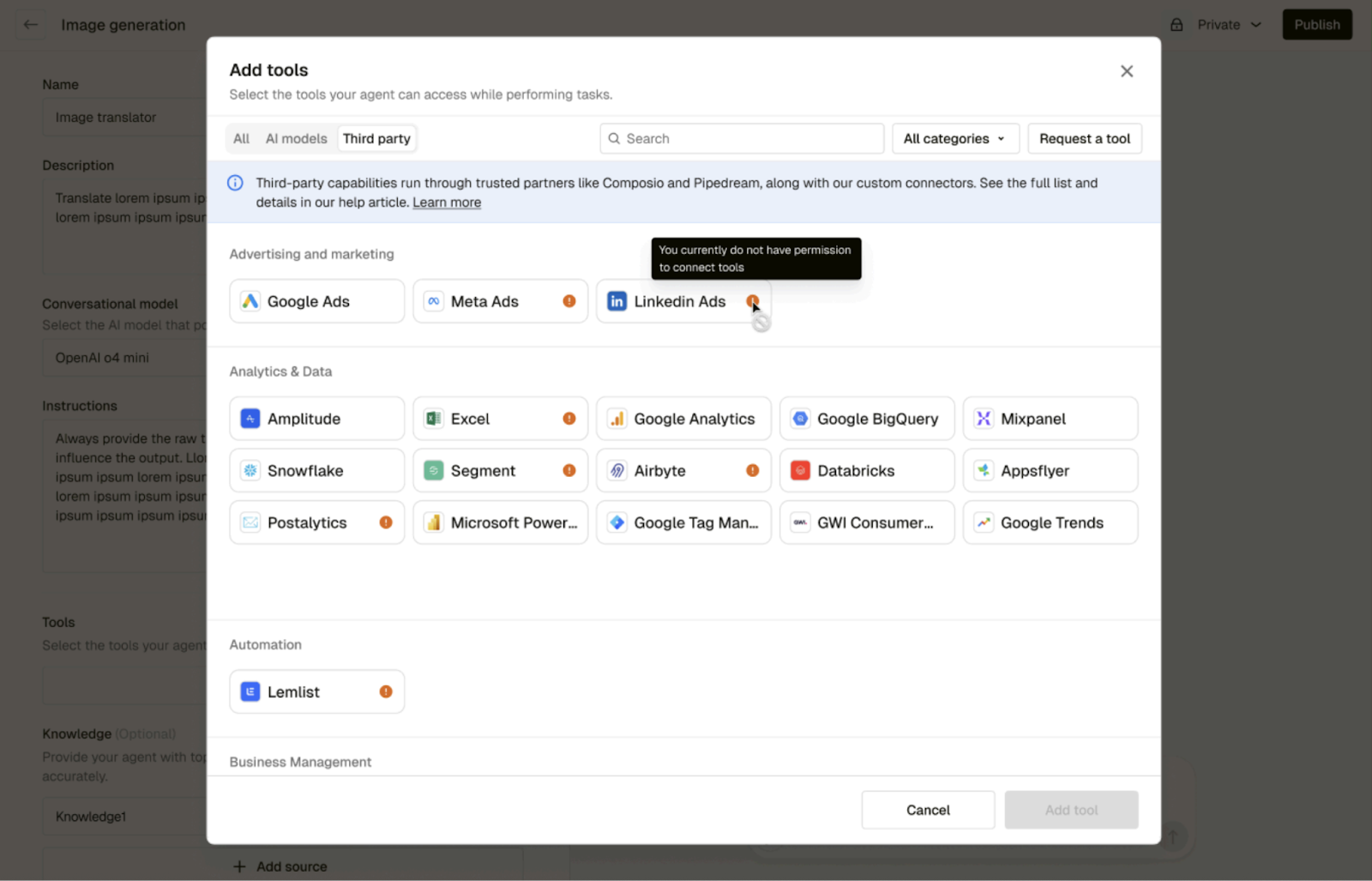
Agents can reach into the software you already use through a broad integration layer, so they do not just draft, they act. Connect accounts with OAuth or API keys, then let an Agent create Jira tickets, post to Slack, fetch keywords from Semrush, file assets to Google Drive, or log activity to Salesforce, all inside the same chat. Admins can also share managed connections so teams get the power without passing around credentials.
How it works in Pencil
- Start with the job to be done. Define the Agent’s purpose, for example “SEO Content Partner,” “Social Launch Packager,” or “Sales Follow-up Assistant.” Add a clear description so teammates know when to use it.
- Pick how it thinks. Select a conversational model category.
- Reasoning for complex problem solving and code
- Deep Thinking for strategy and creative writing
- Fast Response for quick Q&A and summaries
- Multi-modal for tasks that involve files and images
Keep Best Available on so your Agent benefits from the strongest model in that class without needing manual updates.
- Add skills as modules. Combine up to five tools per Agent. A launch-ready Social Packager, for example, might scan a URL for key messages, draft post copy by network, generate image concepts, push assets to Drive, and open a task in your project manager tool. Native tools work immediately.
- Wire in your tools. Securely connect third-party accounts. Until everything is connected, chat is locked and the Agent shows a setup prompt, which prevents half-configured Agents from entering use.
- Engineer your instructions. Direct the flow of the conversation, way of thinking and structure of outputs to ensure that the agent uses your chosen model, tools and integrations in the way that you need.
- Publish for the team.
- Admins can publish to one or many workspaces and choose which connections to carry over so the Agent works out of the box for colleagues.
- Standard users publish the Agent blueprint and teammates connect their own tools.
- If a workspace already has a connection for a tool, the Agent defaults to that existing connection to avoid conflicts.
Governance built in
- Subscription Admins. Build and validate Agents, then publish them to the current workspace as approved tools for everyone to use.
- Shared connections. Admins can provide centrally managed app logins, for example a company Semrush account, so people get the power without sharing credentials.
- Brand and safety controls. Apply brand libraries, conversation context, and knowledge sources so outputs stay on-brand and compliant as Agents move quickly.
Sample Agents you can build
- Product Update Packager pulls release notes, writes the blog and social cut-downs, saves assets to Drive, and posts the internal summary.
- Sales Content Concierge turns a case study into a one-pager, deck slide, and follow-up email, then logs activity to CRM.
Tips for great results
Set a clear goal in each conversation so the Agent knows the target. Keep tools purposeful, a small set of well-chosen integrations beats a long list no one uses. When a setup works, publish it. One strong Agent used by many is better than ten private experiments.
The bigger shift
Agent Builder is our first next step in moving teams from manual optimisation to AI-assisted creation. It helps you ship more varied, higher quality work with less friction and more control, while governance and shared connections keep everything safe and consistent at scale.
Ready to build your first Agent? Open Pencil, choose Create Agent, set the job to be done, add skills and tools, connect, then share your new teammate with the team.
.png)
.png)
.png)
