Workflows: Connect Your Steps Into One Reliable Flow
Tired of juggling agents and switching processes between steps? Workflows let you design one clear sequence, wire your agents together, and run the whole thing as a repeatable process.
.png)

Tired of juggling agents and switching processes between steps?
Workflows let you design one clear sequence, wire your agents together, and run the whole thing as a repeatable process.
Think of it as going from an idea, to a finished output, without having to stitch it together by hand.
What it is
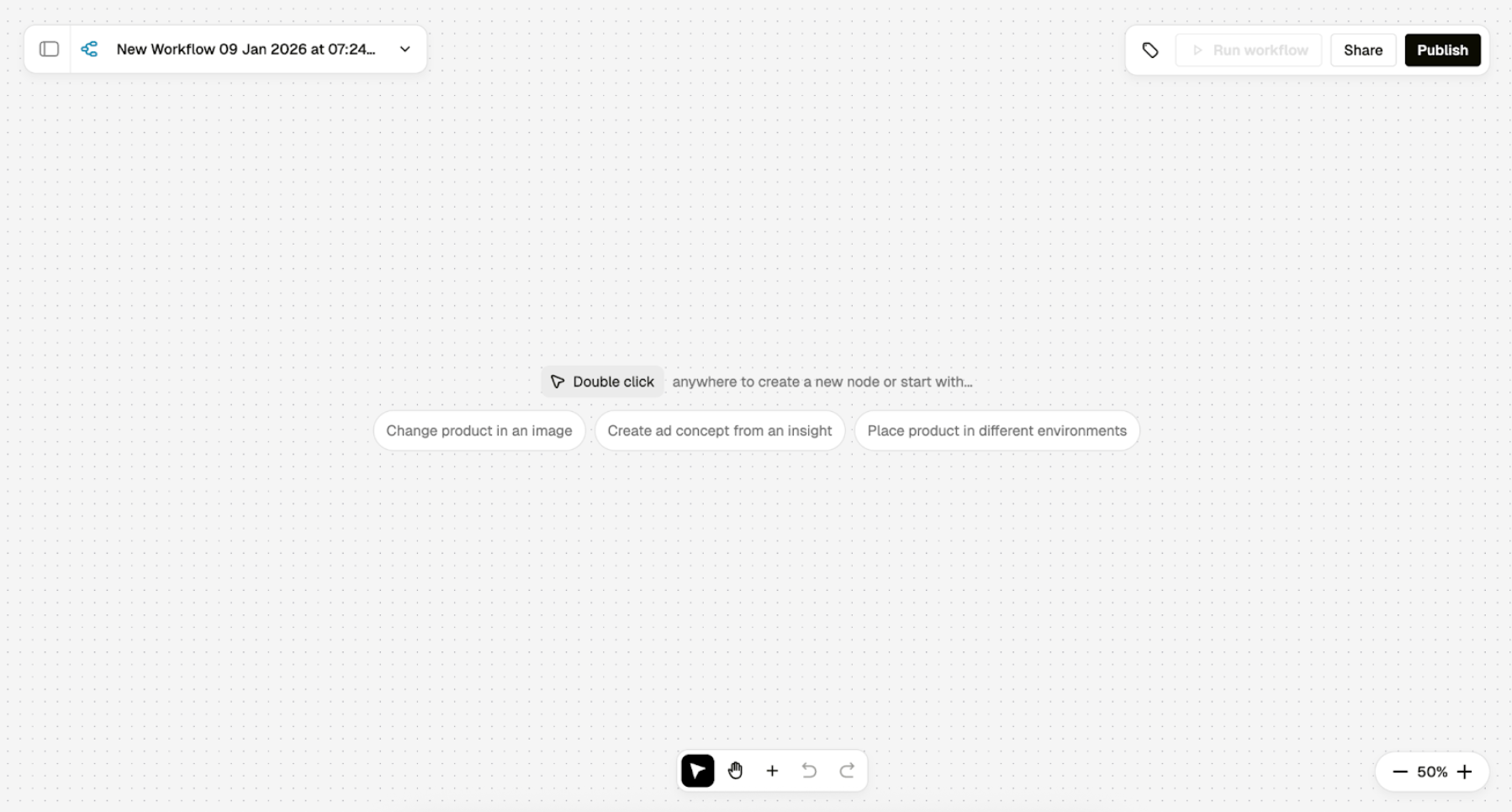
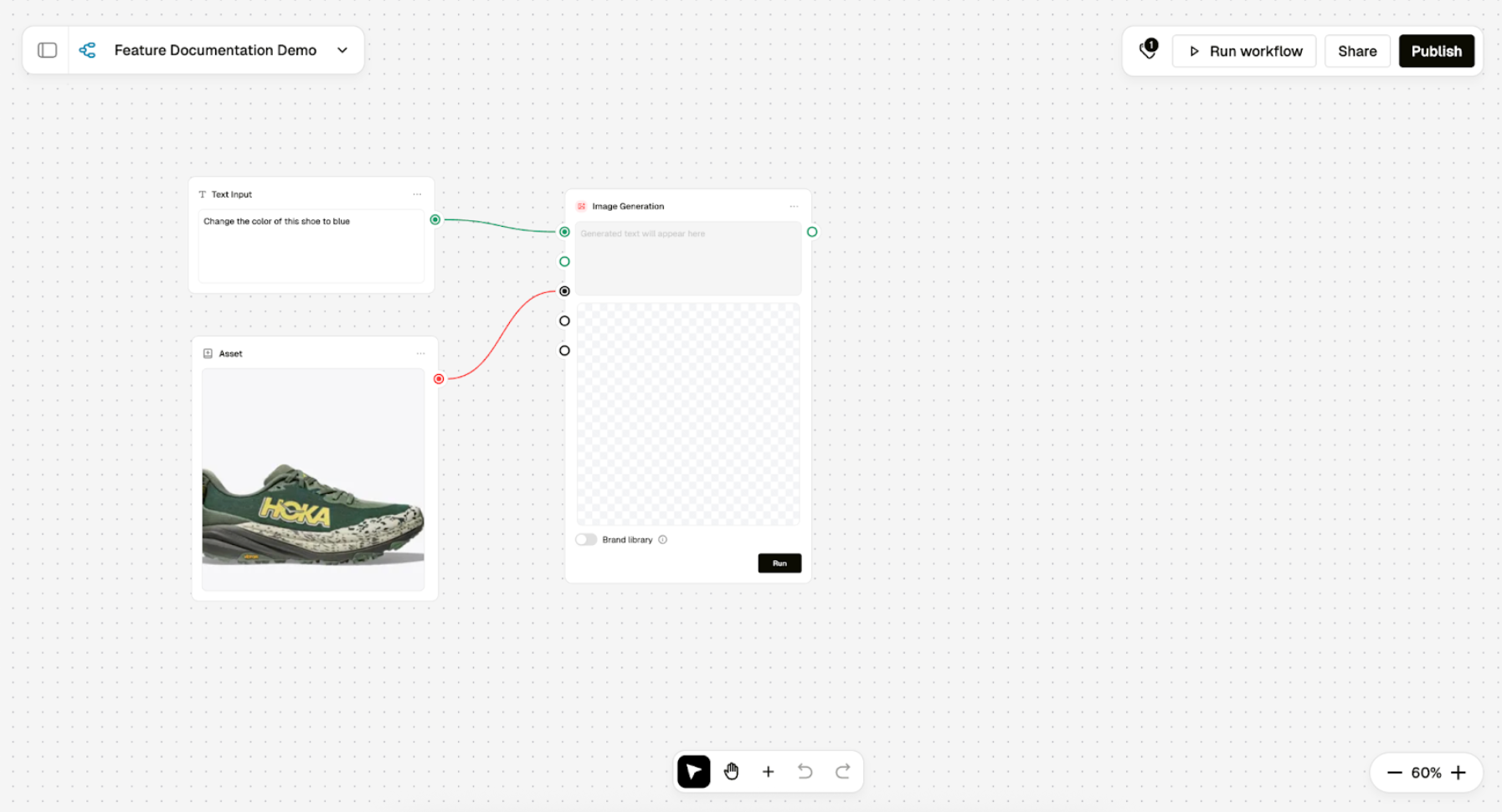
Workflows are a visual builder where you connect tasks and agents into a defined sequence, set the prompt for each step, and run it end to end. You can branch paths to explore variations, then reuse the same setup again and again.
Under the hood every step is explicit and inspectable. You choose which agent does what, how information flows between steps, and you can review both intermediate and final outputs after a run.
That transparency makes it easier to tune quality and scale what works.
Why it matters
Real creative work is a chain: generate, refine, adapt, localize, version, approve. Workflows capture that chain once so Pencil can execute it consistently. The payoff is speed, fewer errors, and the ability to scale complex processes without rebuilding them each time.
Workflows also fit how larger teams operate in Pencil: one place to brief, generate, and take action with clear guardrails, the same product philosophy introduced with Agent Builder.
How it works
- Design the flow. Drop your agents onto a canvas, connect them in order, and define the inputs and prompt for each step.
- Guide every step. Configure per-step prompts, add context and files where supported, and pass outputs downstream automatically.
- Run and review. Execute the full workflow or run node by node. Intermediate results are saved so you can see how each step contributed to the final output.
- Reuse with confidence. One design works across projects. Update inputs, re-run, and get consistent results without rebuilding the structure.
- Workflows will at all times be found in the left-side menu. The page will host all workflows on a workspace.
What you can build on day one
- Campaign Production. Brief in, generate first concepts, refine copy and visuals, localize variants, push for approval, then export.
- Review and Handoff. Route outputs to approval or send a preview email, then export final files.
Governance and connectivity
Workflows inherit Pencil’s enterprise posture: shared connections, brand context, and simple controls so teams move quickly without sacrificing safety.
The same model we use for publishing approved Agents and providing centrally managed app logins applies here, so people get power without passing around credentials.
What else you get
- A visual canvas to map each step and the agent responsible for it
- Branching so you can explore variations side by side
- Saved intermediate results so you can inspect, compare, and tune quality
- Per-step prompts, context, and file attachments where supported
- Reusable setups you can run again with new inputs across your workspace
- Governance that honours shared connections, brand context, and simple controls
The shift
Workflows are rolling out soon. They turn complex, multi-step creative work into a simple, repeatable system that scales with your team.
Keep an eye on the videos and articles we’re sharing this week so you’re ready to hit the ground running the moment it lands.
.png)
.png)
.png)
