From Brief to Delivered, Without the Handoff
Brief Mode transforms messy creative briefs into structured, production-ready workflows inside Pencil.

Briefs arrive in every shape. A thirty-page deck. Two paragraphs in a Slack message. A forwarded email with the deliverables buried on page fourteen. A ticket from a client briefing tool. A Word document with “see attached” as the body.
By the time the production team has read it, summarised it, re-keyed the relevant fields into the production system, and asked the three clarification questions that should have been answered up front, half the available time has already been spent on intake. The work has not started.
Brief Mode brings the brief into Pencil as the first step of the creative process — and connects it directly to the canvas, the deliverables, and the approvals that follow.
What brief mode is
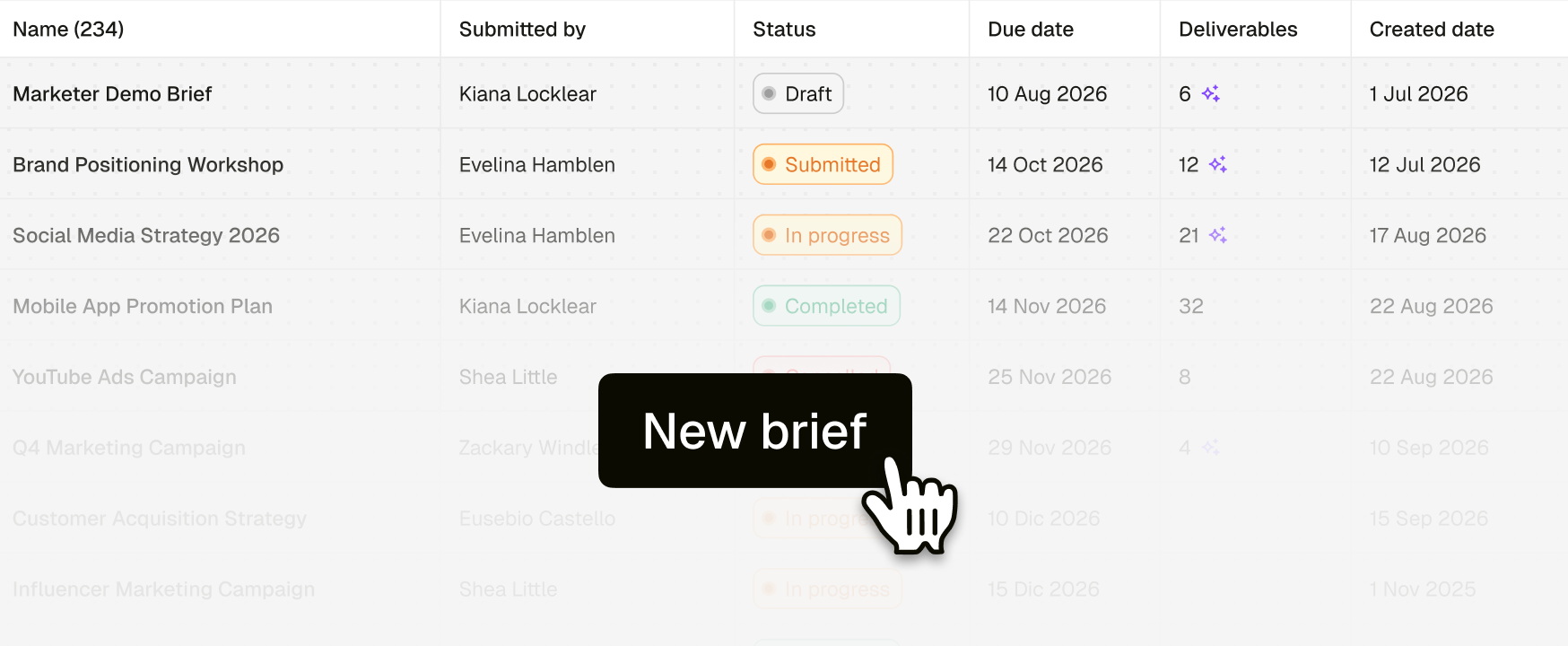
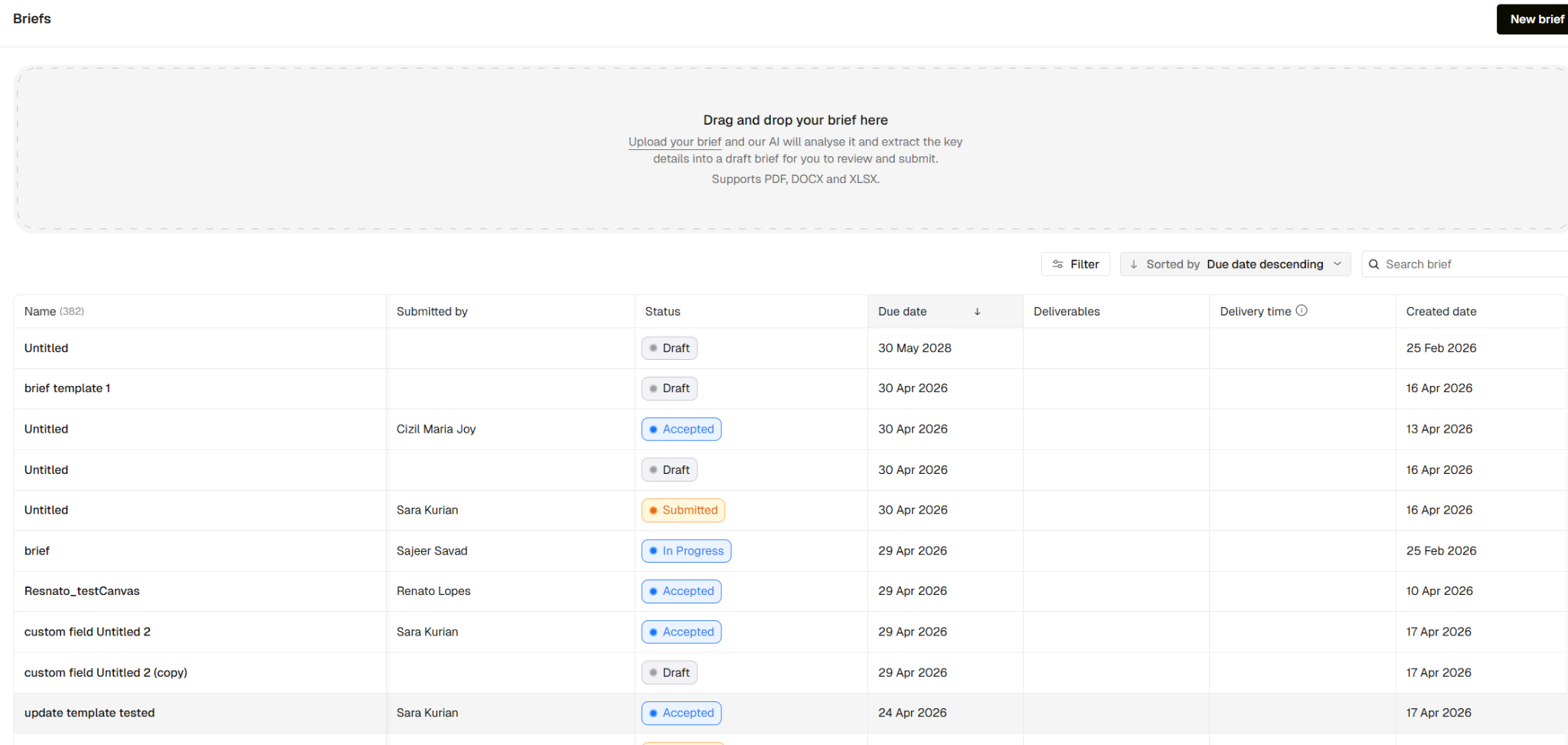
Brief Mode is a dedicated space inside Pencil for creating, reviewing, executing, and delivering creative briefs. Open it from the left navigation and you see every brief in the workspace: name, who submitted it, current status, due date, and the count of deliverables tied to each one.
Drop a briefing file in. Review the structured brief Pencil extracts. Submit it to the production team. From there, the brief becomes the spine that the rest of the work hangs from.
Drop the file. Skip the re-key.
Most briefs already exist as a document. Drag a PDF, DOCX, or XLSX into Brief Mode and Pencil reads it, extracts the relevant details, and populates a structured brief template — typically in 20 to 40 seconds depending on the size of the document.
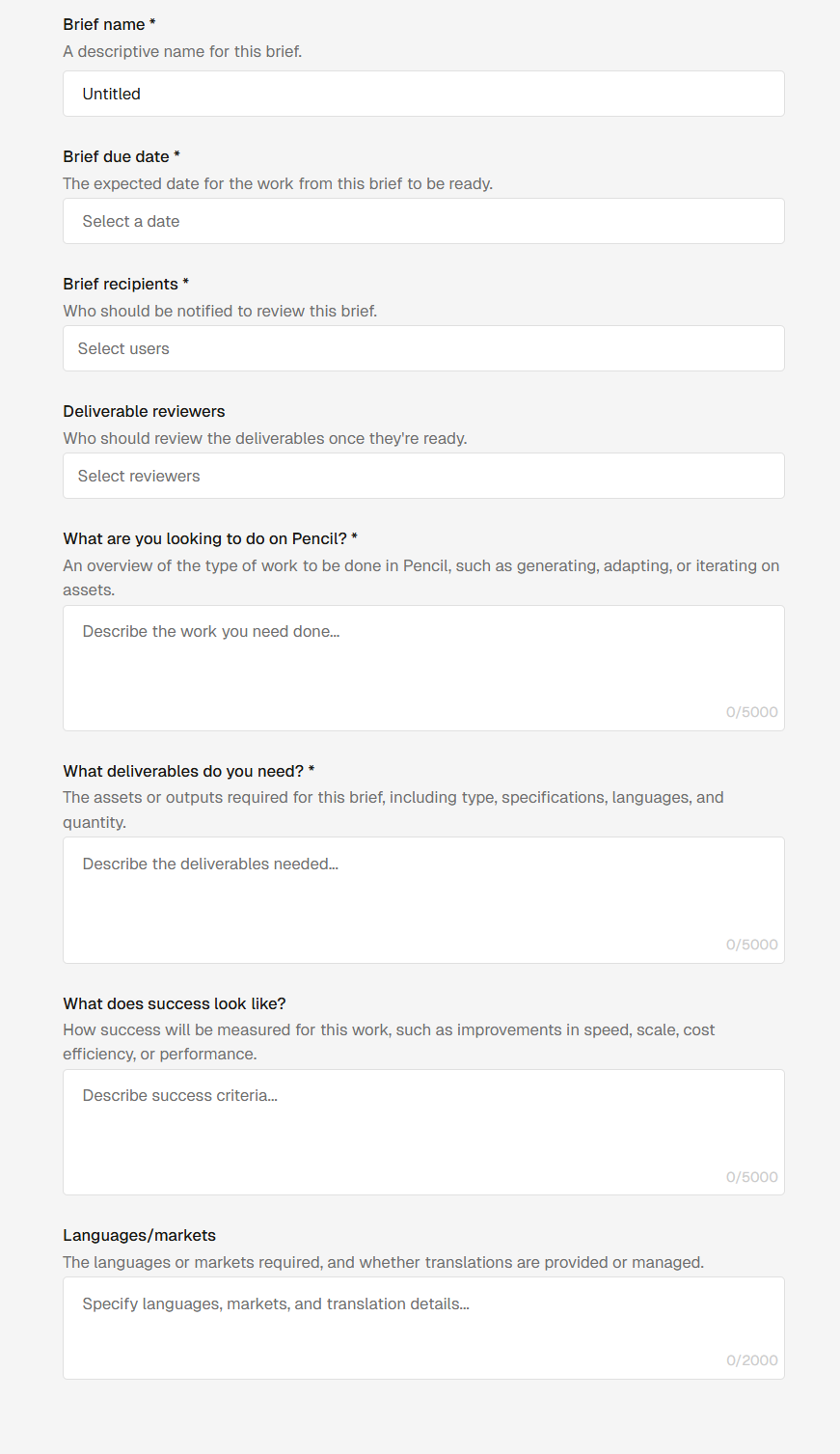
The AI cleanly extracts and distills the brief into standardised fields: The Project Name; the Deliverables (including sizes, quantities and formats); Target Audiences including languages, locales and buyer personas); and the KPIs and Success Metrics (what a win looks like, in quantifiable terms). You can also define Due Dates, as well as assign Approvers and Reviewers.
The source file stays attached as a reference. You review what AI extracted, edit anything that needs sharpening, and submit.
At the top of every brief, Pencil generates an AI summary — a thirty-second synopsis of what the brief is, what needs to be delivered, and what success looks like. Anyone landing on the brief can get the gist without scrolling through every field.
A consistent format, with validation
Briefs follow the same structure every time: objective, deliverables, success metrics, regions and language, reviewers, due date, reference material. Validation runs on submission so incomplete briefs do not move into production. The recipient list and default reviewers can be configured per workspace, so the right people are notified automatically.
Linked assets keep all your reference materials in one place
Logos, brand assets, source briefing files, and any creative reference attach directly to the brief. Pull from your existing asset library or upload new files. Anything added through Brief Mode flows into the asset library, and existing assets can be associated to a brief without creating duplicates. Same files, two views.
Each brief gets a dedicated aligned canvas
This is where Brief Mode connects to the rest of Pencil. When a brief is accepted, a canvas is created and tied to it. Reference material from the brief is already laid out on the canvas. A deliverable sub-canvas is set up alongside it.
As the team produces work and drops it onto the deliverable sub-canvas, those items appear automatically as deliverables on the brief. The brief and the production surface stay in sync without anyone copying status from one to the other.
Deliverables, reviews, and approvals
Every deliverable on a brief carries a status: work in progress, awaiting approval, changes required, approved. New deliverables default to work in progress, so clients can see something is being built before it is ready to look at.
When a deliverable is ready, Send for Review notifies the assigned reviewers by email and moves the status to awaiting approval. Multiple reviewers per deliverable are supported, and each reviewer also has a My Approvals view — a dedicated to-do-style list of everything assigned to them, filterable by status. Clients can only download approved deliverables. Once a brief is marked completed, it locks down.
Visibility, Built In
Every brief moves through a clear lifecycle:Draft → Submitted → Accepted → In Progress → Completed. Time from submission to completion is tracked automatically, so average delivery time becomes a metric the team can actually report on. Deliverable counts start as an AI estimate and update to the true count once production begins. Comments and @mentions live directly on the brief, so clarifications, discussions and brainstorms live right there with the work — not in a parallel email thread.
What Is Coming Next
- Multiple brief templates — configurable per workspace, with AI selecting the right template based on the uploaded file.
- Agentic workflow execution — a submitted brief triggers the right agentic workflow and produces a first pass of deliverables automatically.
- Cross-workspace reporting — client-facing analytics on briefs, deliverables, and outcomes across all the work running through Pencil.
Why we built it
Production teams lose time at the two ends of the lifecycle that have nothing to do with making the work: at intake, where briefs need re-keying and clarification, and at handoff, where context gets lost moving between briefing tool, production system, and approval thread.
Brief Mode alleviates both bottlenecks. The brief, the canvas, the deliverables, and the approvals all live in the same place. Less back-and-forth, less context lost in transit, and a faster path from request to delivery.
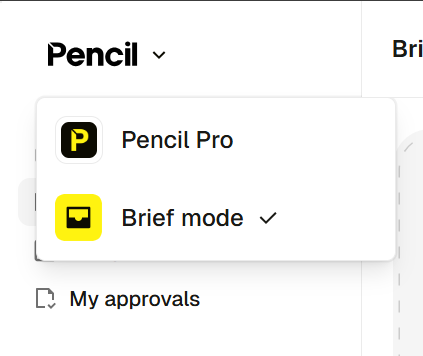
Brief Mode is live now. Click on the Pencil logo in the top left to reveal brief Mode and submit your first brief!
Try Brief Mode Now: https://pro.trypencil.com/login
.png)
.png)
.png)
